

Open a person’s record
Open Contacts and select a person. The header shows who they are and how to reach them. Contact Info holds their details and context. All Deals shows linked deals.
A contact is a person. Lead or client classifications describe your relationship with them; they do not replace the contact's identity.
Edit basic information
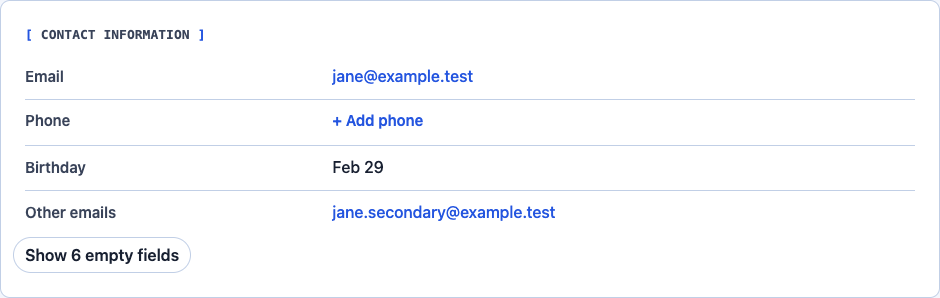
In Contact Information, select a value or its edit control. Use the add action for an empty field. Edit names in the record header. Use Contact Information for contact details, company, account, title, birthday, and address. The header also shows the owner.
- Simple text fields save on Enter or when focus leaves the field.
- Escape cancels an edit. Select fields save when you choose an option.
- Multiline fields use Ctrl+Enter or Command+Enter to save.
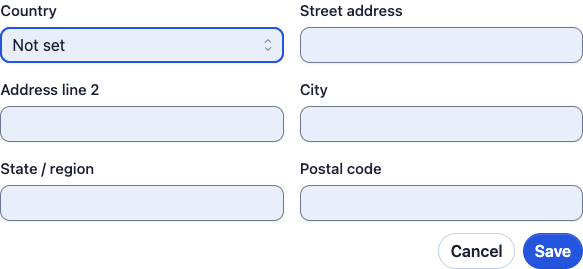
- Editors with multiple values, such as an address, have Save and Cancel controls.
If validation fails, correct the highlighted field and try again. A failed save keeps the draft so you can fix it. If edit controls are absent, check your permissions and whether the record is archived.
Find fields that are not showing
Use Show empty fields in Contact Information to reveal less frequently populated fields. Expand a custom-field group to see its values. A collapsed or empty group does not mean the data has been deleted.
For an address, enter the street, city, state or region, postal code, and country in their individual fields. Save the whole address editor when finished.
Keep context connected
Use Relationships to link people and accounts. Assign and complete work in Tasks. Use Deals for opportunities. Record notes and calls in Activity. On desktop, Activity sits beside the record so you can see recent changes.
Subscription lists and consent are separate from tags and contact classification. Adding a contact does not subscribe them to marketing email.